Index Coverage report alternative
The honest alternative to the Index Coverage report
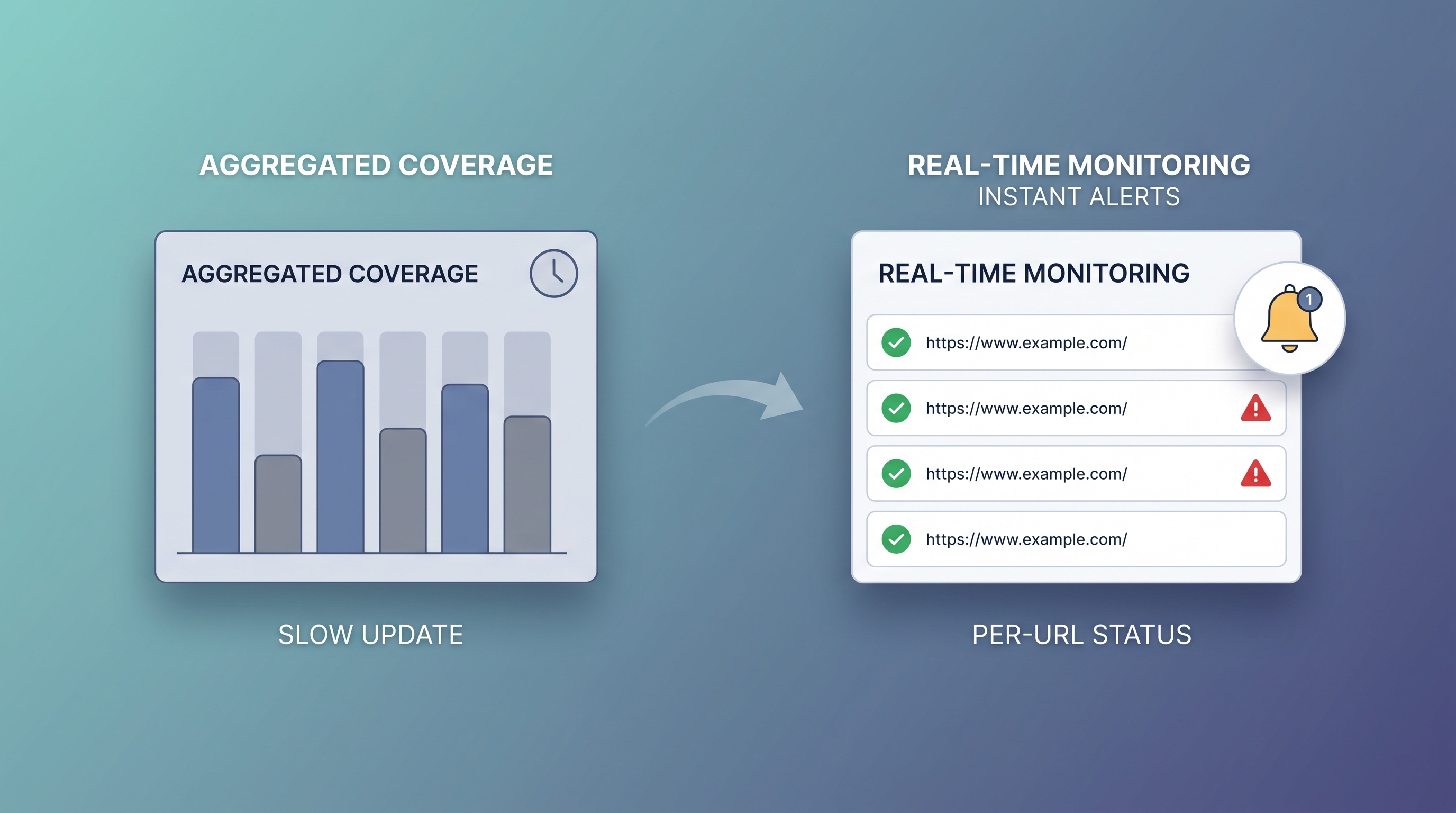
The Index Coverage report is Google Search Console’s indexing view, now renamed the Page indexing report. You cannot fully replace it: it is free, first-party Google data. What you can fix is its slowest weakness. It is aggregated at the property level, refreshes on a delay of days, and never tells you the moment one specific URL drops out. This page sorts the alternatives by the job you are actually trying to do, then shows the per-URL monitoring layer the report lacks.
Key takeaways
- The Index Coverage report was renamed the Page indexing report, but the limits are the same: property-level aggregation, a multi-day refresh lag, and roughly 16 months of history.
- It answers "how many pages are excluded", not "which URL dropped out today". That per-URL, real-time question is the real gap.
- No third-party tool replaces the report’s first-party data. The right move is to keep it and add a monitoring layer beside it.
- SearchOptimo re-checks each URL on a schedule, keeps its own index history, and emails you the day a page leaves the index. Free Basic tier, no card.
What is the best alternative to the Index Coverage report?
There is no full replacement for the Index Coverage report, because it is free, first-party Google data. The best alternative is a per-URL index monitor you run alongside it: a tool that re-checks each URL on a schedule, keeps its own index history, and alerts you the day a page drops out, instead of waiting for the aggregated report to refresh.
In other words, the smartest alternative is not a swap at all. It is a focused layer that does the one thing the report does slowly, faster, and per URL.
First, which “index coverage” do you mean?
“Index coverage” has two unrelated meanings, and this page is about the SEO one. In finance it refers to index-fund exposure. In search, the Index Coverage report is the Google Search Console report, now called the Page indexing report, that shows which of your pages Google has indexed and which it has excluded.
The report groups pages by status, including Google’s own labels like Crawled – currently not indexed and Discovered – currently not indexed. It is genuinely useful for periodic auditing. The trouble starts when you need to know about a single URL, quickly, and repeatedly, which is not what the report was built for. If your pages are stuck in those buckets, the why pages get crawled but not indexed guide covers the causes.
What the report does well, and where it falls short
Knowing the gaps tells you which alternative you actually need. The Page indexing report is strong at some jobs and frustrating at others.
The report is strong at
- Authoritative, first-party indexing status straight from Google
- Grouping excluded pages by reason across a whole property
- A free starting point for a periodic indexing audit
The report is weak at
- Alerting you when one specific URL is deindexed
- Freshness: data lags by days, so a drop is old news by the time you see it
- History beyond roughly 16 months, and no running per-URL timeline
That weak column is the opening. The biggest gap, finding out a page dropped out per URL and quickly, is exactly what a deindexing alert tool is built for.
Index Coverage report alternatives by job
Pick by what you are trying to fix, not by a generic “best tool” list. Each row is a different job the report is asked to do, and the tool that actually fits it.
| The job you want done | Best-fit tool | Reality |
|---|---|---|
| Read first-party indexing status straight from Google | The Index Coverage / Page indexing report itself | Keep it. Nothing reproduces Google’s own data. |
| Inspect one specific URL on demand | GSC URL Inspection Tool | Authoritative, but manual and one URL at a time. |
| Audit indexing across a full SEO suite | Ahrefs, Semrush, Sitebulb | Adds breadth the report never had. Paid. |
| Get alerted the day a URL drops out of the index | SearchOptimo | The slow, aggregate gap in the report. Free tier to start. |
Tool capabilities and pricing change over time, so confirm current details on each provider’s own site.
Where SearchOptimo fits: the per-URL monitoring layer
SearchOptimo is not trying to be your Ahrefs, and it does not replace the report. It does one job the Index Coverage report does slowly: it watches whether your URLs stay indexed and tells you the moment they do not.
Scheduled re-checks
Re-check index status daily or every 6 hours, not on the report’s multi-day refresh delay.
Per-URL drop alerts
Get emailed which specific page dropped, instead of reading a changed aggregate count.
7–365 day history
Keep a running per-URL index timeline, held independently past GSC’s 16-month window.
IndexNow submission
Resubmit fixed URLs via IndexNow so engines re-discover them faster.
The running record is the part the report cannot give you. See how it looks on the index history timeline, or spot-check a batch right now with the free bulk index checker.
Index Coverage report vs SearchOptimo for monitoring
Comparing only the monitoring job, not the whole report, which also reports crawl reasons and property-level totals that SearchOptimo does not.
| For the monitoring job | Index Coverage report | SearchOptimo |
|---|---|---|
| Per-URL deindex alert | No, aggregate counts | Yes |
| Reporting speed | Delayed days | Daily / 6-hourly checks |
| Granularity | Property-level buckets | Per URL |
| Index history window | About 16 months | 7–365 days, independently held |
| First-party Google status | Yes | No, pair with GSC |
| Cost | Free | Free Basic tier, no card |
Note the “first-party Google status” row: that is the report’s domain, not ours. We add the per-URL monitoring layer, we do not replace Google’s own data. This is the same honest split as our Google Search Console alternative guide.
How to use SearchOptimo alongside the report
The strongest setup is not the report or an alternative. It is both, each doing what it is best at. Here is the division of labour:
- 1Use the Index Coverage / Page indexing report for a periodic, property-level audit of which pages Google has indexed and why others are excluded.
- 2Use SearchOptimo to monitor those URLs on a schedule, per URL, with a running index history and alerts on drops.
- 3When SearchOptimo alerts you that a page dropped out, confirm it in GSC’s URL Inspection Tool and request indexing.
- 4Submit the fixed URL via IndexNow to speed re-discovery.
Prefer a broader webmaster-tools view first? Our Google Search Console alternative guide sorts the whole toolset by job, the same way this page does for the coverage report.
Frequently asked questions
- What is the Index Coverage report in Google Search Console?
- The Index Coverage report, now renamed the Page indexing report, is Google Search Console's view of which pages on your site are indexed and which are excluded, grouped by reason (for example Crawled – currently not indexed, or Discovered – currently not indexed). It is property-level and aggregated: it tells you how many pages fall into each bucket, refreshed on a delay of several days.
- What is the best alternative to the Index Coverage report?
- There is no full replacement for GSC, because the Index Coverage report is free, first-party Google data. The best alternative is a per-URL index monitor that you run alongside it: a tool that re-checks each URL on a schedule, keeps its own index history, and alerts you the day a page drops out, instead of waiting for the aggregated report to refresh.
- Is there a free alternative to the Index Coverage report?
- Yes. SearchOptimo has a free Basic tier: 100 URLs a month, 3 campaigns, daily monitoring, and 7-day history, with no credit card. You can also run a free bulk index checker with no signup to spot-check a batch of URLs against Google right now.
- Why is the Index Coverage report so slow to update?
- The Page indexing report reflects the last time Google crawled and processed your pages, and that data is batched and refreshed on a lag, often several days. It is designed for periodic auditing of a whole property, not for catching the moment a single URL leaves the index. A scheduled per-URL monitor closes that gap by checking on a fixed cadence and alerting on change.
- Can I export the Index Coverage report to keep my own history?
- You can export the current report, but GSC only retains about 16 months of data and the export is a snapshot, not a running per-URL timeline. A monitoring tool holds its own index history independently, so you keep a continuous record of when each URL was indexed, dropped, and recovered, past the 16-month window.
Keep the report. Fix its slowest weakness.
Add the per-URL monitoring layer the Index Coverage report lacks: scheduled index checks, a running history, and alerts the day a page drops out. Free Basic tier, no credit card, cancel anytime.